
The short answer
Choose a logo area against fixed features on the selected cooler, then review the proposed method on its actual exterior surface and the assembled product. Approve color, placement and packed appearance as separate decisions. For a multi-model collection, keep one placement drawing per model rather than applying the same dimensions automatically. The release pack should identify artwork revisions, material references, proof images and any agreed exceptions.
Choose the decoration area before choosing the logo size
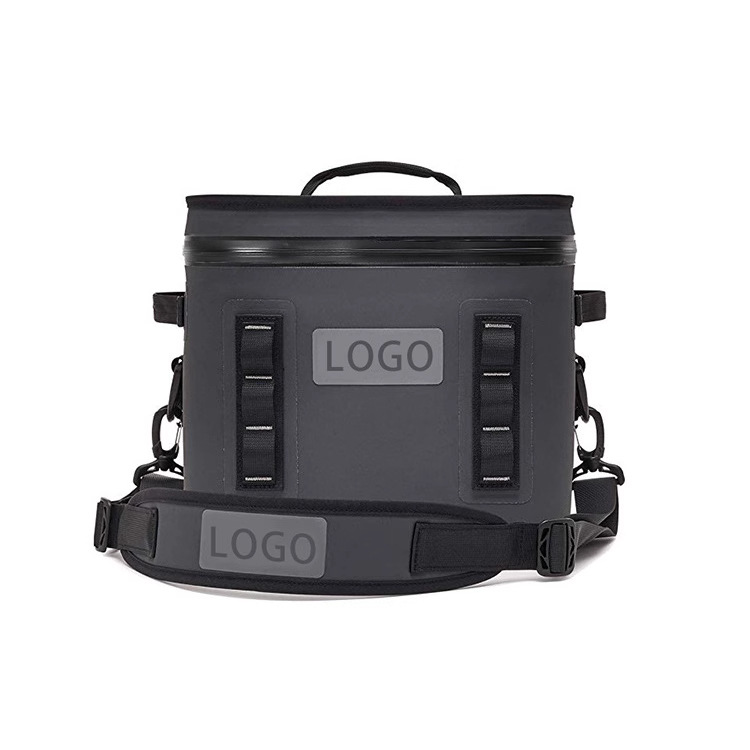
For custom cooler bags with logo, a flat artwork file is not enough to define the finished appearance. The exterior surface may curve when packed, cross a pocket edge or sit over a panel with a different construction. Start by selecting the area that can carry the design on the actual model.
Request front, side and open views of the cooler, then mark the proposed logo boundary against fixed features. Reference the nearest seam, pocket edge or panel join. This prevents an instruction such as “center the logo” from being interpreted differently on two models with different front layouts.
Compare the ZY32 soft cooler reference and CW3006 cooler reference as separate decoration projects. Their photographs communicate appearance, not a shared print method or identical usable artwork area.
Describe the surface and the construction behind it
Ask for the proposed exterior material description, surface finish and panel construction to be identified with the decoration proof. A method that looks acceptable on a flat material sample may present differently on an assembled, filled cooler. The review therefore needs both a surface proof and a model-level placement check.
Mark any pocket, webbing or handle attachment that interrupts the artwork area. Decide whether the design should sit entirely on one panel, be reduced, or be split into separate elements. Treat artwork crossing a construction feature as a question to resolve rather than a default manufacturing instruction.
For private label cooler bags, also identify which branding elements belong on the product and which belong on a removable tag or retail pack. Keeping those roles separate can make a smaller permanent logo work without sacrificing the information the buyer wants to display.
Compare proposed placements with a decoration-area map
| Placement | What to mark | What the proof should show |
|---|---|---|
| Main exterior panel | Artwork dimensions and distances from two fixed references. | Position on the selected material and on the assembled model. |
| Pocket panel | Pocket opening, folded edges and the usable artwork boundary. | Whether the complete design remains visible with the pocket in its intended condition. |
| Contrast or patterned area | Color reference, pattern direction and required logo contrast. | The actual color relationship, rather than a white-background artwork file alone. |
| Near carrying components | Handle and strap positions in carried and stored arrangements. | Any part of the design covered or visually displaced by those components. |
Approve the proof in the order decisions become visible
First confirm the artwork revision and required dimensions. Next review the proposed method on the selected surface, including color and edge definition. Then check placement on the assembled bag in its empty and intended packed form. Finally review the relationship to tags, labels and packaging.
Record which decision each proof resolves. An approved color sample does not settle the assembled logo position; an approved placement drawing does not settle the appearance of a proposed method on a textured finish. This separation makes corrections more precise and avoids reopening an unrelated part of the brief.
The bulk logo approval guide explains artwork revision control. For custom soft coolers with logo, add the cooler-specific panel map and packed-view photographs to that same approval record.
Illustrative example: one brand mark across two cooler shapes
A buyer proposes one wordmark for a compact soft cooler and a taller tote. This is an artwork planning example, not a completed Outdoorsbloom order. The buyer initially sends one logo width for both models and asks for the same visual impression.
The compact model has an uninterrupted front panel; the tote reference has carrying components near the preferred area. Prepare two placement drawings instead of scaling the same file by eye. Each drawing identifies artwork dimensions and fixed reference points, while a shared color proof preserves the overall brand direction.
The buyer may choose a smaller mark on the tote and put additional messaging on its tag. Record that as an intentional model-specific decision. Do not force the first placement onto the second model simply because both products share a collection name.
Send a model-by-model artwork approval pack
For a quotation through the cooler bag collection, supply the selected models, original artwork, placement drawings, color references and quantity split. Ask the quotation to identify the proposed decoration method and the scope of the requested proofs.
The release pack should contain a file revision, one placement record per model, selected surface details, approved proof images and any agreed exceptions. Link the artwork record to the exact product revision so a later pocket or handle change triggers a placement review. This is the practical handoff between choosing a visual identity and ordering a repeatable branded product.
For a repeat order, identify whether the exterior material, panel outline or carrying components remain the approved versions. A change to one of those inputs should reopen the affected artwork decision, even when the logo file itself has not changed.
Discuss the selected model and purchasing brief
Send the model references, quantity split and the decision record described in this guide. Add your artwork, packing requirements, destination and required delivery date.
Request a project quotationEmail michael@outdoorsbloom.com or denggaoz@gmail.com.